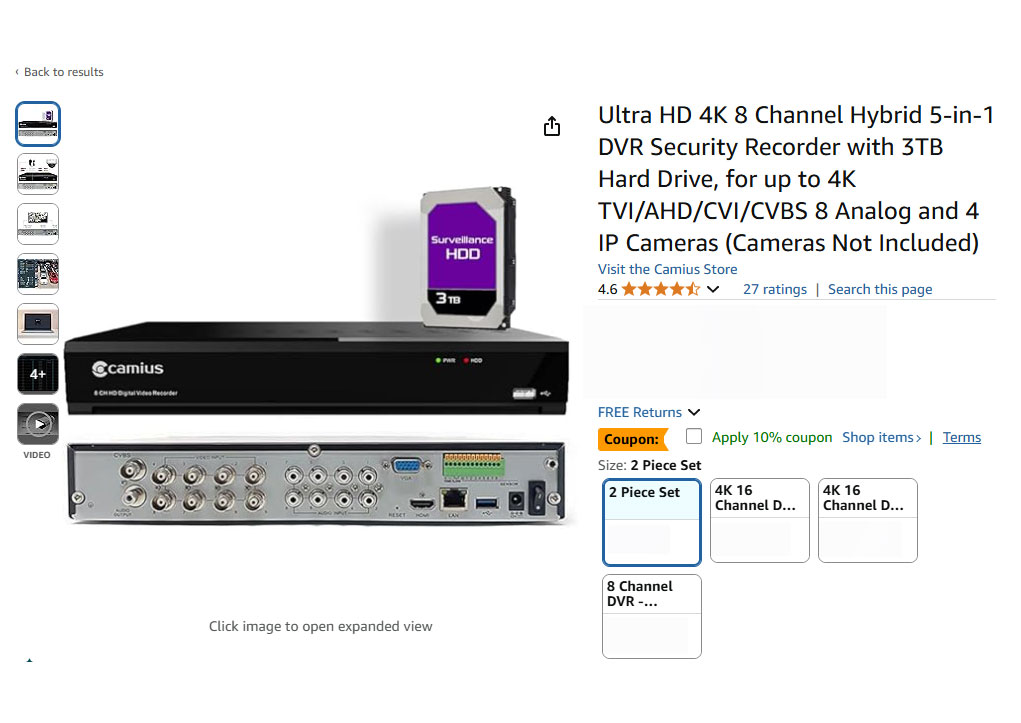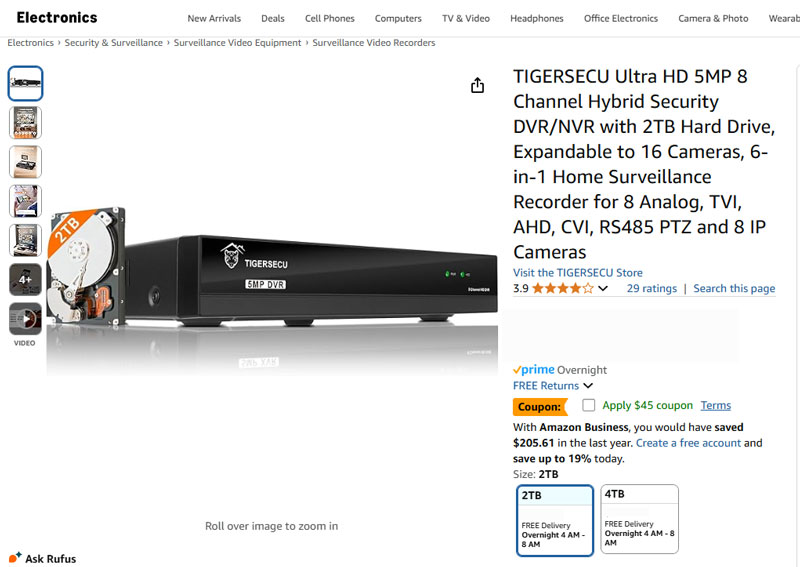
In the world of surveillance systems, finding the right DVR for surveillance cameras (analog and IP) can make or break the performance of your security system. Whether you’re a homeowner looking to protect your property or a business trying to monitor multiple locations, the security camera DVR you choose plays a pivotal role. We found two popular choices in the market—Camius and Tigersecu and ran a very deep comparison of the features and functions of these 2 brands. However, how do they stack up when compared side by side? Let’s dive into the key differences and similarities between these two brands, focusing on everything from video resolution and motion detection to compatibility and storage.
Comprison in depth of two security camera DVR recorders
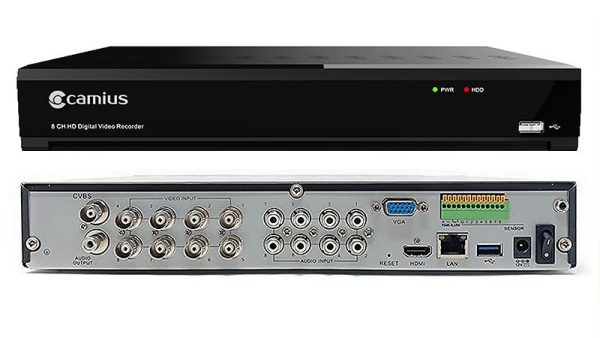
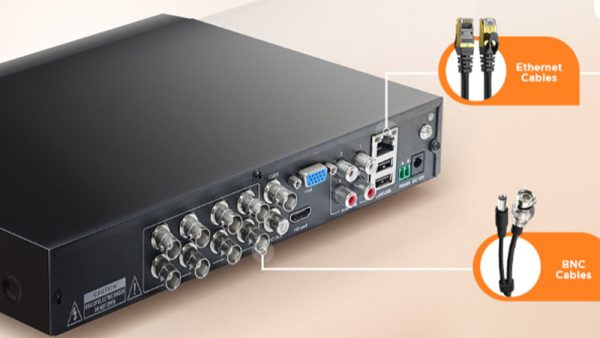
| Features | Camius 4K 8-Channel DVR | Tigersecu 5MP 8-Channel DVR |
|---|---|---|
| Model | TRIVAULT4K184R2 | TS-5MP-X30208-2TB |
| Video Resolution | Supports Ultra HD 4K resolution (3840×2160) at 10 frames per second (fps), 5MP at 14 fps, 4MP at 18 fps, and 1080p at 30 fps. | Supports up to 5MP (2560×1920) at 12.5 fps for TVI, AHD, and CVI inputs, IP cameras |
| Channel Support | 8 Analog + 4 IP (up to 4K 8 MP resolution) | 8 Analog and 8 IP cameras (max 5MP resolution supported) |
| Convert Analog channels to IP | Yes (Analog channels can be disabled and converted to analog, users can add up to 12 IP cameras if no analog used) | No (Analog channels cannot be converted into IP channels) |
| Storage Capacity | Sold with pre-installed 3TB, 4TB, 8TB, and 10TB hard drives, supporting internal SATA 3.5" and 2.5" SSD hard drives up to 10TB. | Includes a 2TB surveillance-grade hard drive, with support for up to 8TB per SATA port |
| Audio Support | 8 channels using RCA in. With IP cameras audio tramsitted over network wires (PoE) | 4 channels using RCA in. |
| Smart Motion detection (SMD) with Analog Cameras | Yes (with Pedestrian and vehicle target detection) | No (only standard video motion detection supported) |
| A.I., detection with Analog Cameras | Yes (Human, Vehicle, Perimteter Intrusion, Sound, Line Crossing, etc) | No (Only specific IP cameras support human detection) |
| Web Browser | Yes (Chrome, Edge, Firefox, Safari, etc) | Limited support (Chrome and Edge using specific app) |
| Desktop Software | VMS pro (Windows PC/Mac compatible) | CMS |
| Smartphone App | Yes | Yes |
Video Resolution & Channel Support: Camius vs. Tigersecu security DVR
When it comes to video resolution, both brands offer solid performance, but with slightly different strengths.
Camius security DVR: It supports Ultra HD 4K resolution at 10 fps, along with 5MP, 4MP, and 1080p at various frame rates (up to 30 fps). This flexibility allows users to capture ultra-high-definition footage, providing excellent image clarity. Plus, the 8-channel DVR accommodates both analog and IP cameras with 4K resolution (up to 12 channels in total).
Tigersecu DVR: Tigersecu offers 5MP resolution (2560×1920) for analog cameras at 12.5 fps. However, Tigersecu’s analog channels do not convert into IP, limiting some configuration options.
Storage Capacity: What Fits Your Needs?
When it comes to storage capacity, the Camius DVR takes the lead with more diverse options.
Camius DVR: Comes with pre-installed 3TB, 4TB, 8TB, or 10TB hard drives, giving users the flexibility to choose the storage size that best suits their needs. Worth mentioning that Camius 16 channel DVRs (which can be expanded to 24 cameras,) support 42TB capacity storage more suitable for larger applications, e.g. retail stores, gas stations, etc.
Tigersecu DVR: Offers a 2TB hard drive pre-installed, but it can support max 8TB of storage per SATA.
Audio Support: Full Audio vs. Limited Channels
Audio can be a game-changer in security systems. Here’s how both DVRs handle it:
Camius DVR: Supports audio recording on all analog and IP channels, offering users full flexibility without limiting specific channels. This is perfect for users who want comprehensive audio monitoring across their systems. Besides the Camius DVR has 8 audio in and out ports to add external microphones and speakers with analog cameras which do not have a built-in microphone or/and speaker. Camius does offer 4K analog cameras with built-in microphones and all their IP cameras have a built-in microphone in addition 4K PoE cameras offer built-in 2-way audio without the need for adding external mics and speakers.
Tigersecu DVR: Supports audio recording on channels 1, 2, 3, and 4. So, if you’re looking for full audio on all channels, this might not be the best fit. However, additional microphones can be added for enhanced audio capability.
Motion Detection: Smart vs. Basic
Effective motion detection is crucial for minimizing false alarms and ensuring that your system only records relevant events.
Camius DVR: Offers Smart Motion Detection (or SMD) with the ability to select vehicles and pedestrians and AI-powered detection for human, vehicle, face, perimeter intrusion, and sound—all built to minimize false alerts. This sophisticated technology provides advanced detection and can even record specific events of interest. Note, this feature works with analog and IP cameras. Based on the last Camius review of IP cameras, all their cameras support A.I. detection
Tigersecu DVR: Provides human motion detection only for IP cameras. While it is not clear what specific IP camera models support such features. The DVR uses basic video motion detection on analog channels. While it’s a reliable system, it doesn’t offer the advanced AI features that Camius does, potentially leading to more false alarms.
Remote Access: Ease of Use Across Devices
For modern surveillance systems, the ability to access your system remotely is a must. Here’s how Camius and Tigersecu compare:
Camius DVR: Supports remote viewing via all modern web browsers (Chrome, Edge, Mozilla Firefox, Safari, Opera) without the need to install additional software. You can also access it through the Camius View App or Video Management Software, making it user-friendly and accessible from multiple devices.
Tigersecu DVR: While remote viewing is available through the TIGERSECU HD Viewer app and CMS client, this system requires you to install additional software or apps. It’s not compatible with direct browser access and is limited to only Chrome and Safari, which may be an inconvenience for users seeking a seamless experience across devices.
Compatibility: Onvif and Hybrid Functionality
Both DVRs boast flexibility in compatibility, but they have different strengths:
Camius DVR is compatible with a wide range of analog cameras (CVBS, AHD, HD TVI, HD CVI) as well as IP cameras. It is ONVIF compliant supporting the latest profiles, meaning you can integrate third-party cameras if desired. You can also convert unused analog channels into IP since running ethernet cables is cost-effective. This hybrid functionality allows users to mix and match camera types without worrying about compatibility issues.
Tigersecu DVR: Supports ONVIF IP cameras as well, but users report that analog channels cannot be converted into IP channels which limits users to sticking with analog technology without being a future-proof solution. It is also compatible with cameras from third-party brands, but most issues with certain brands have been reported. It’s good for flexibility but requires some extra consideration regarding camera brand choices.
PTZ Control: Remotely Control Your Surveillance
Controlling PTZ (Pan-Tilt-Zoom) cameras remotely is a vital feature for surveillance systems requiring flexible coverage.
Camius DVR: Supports full PTZ control for RS485 PTZ cameras not only analog but IP. It allows you to remotely control the camera’s pan, tilt, and zoom features, giving you comprehensive control over the surveillance area. You can add not only analog but PTZ IP cameras to Camius DVR (e.g. Camius 4K PTZ IP camera with AI detection, auto tracking and all other superior features)
Tigersecu DVR: Also supports PTZ control, provided your analog cameras are compatible with RS485 or RS232 communication protocols.
Web Browser Access: Convenience at Its Best
- Camius DVR: Access via all modern web browsers without needing extra software installation. This makes it far easier for users who need quick, on-the-go access to their surveillance footage from any device. If you don’t want to use an HDMI or VGA monitor to view your cameras, you can opt for web browser access including the complete setup of the DVR from the beginning.
Tigersecu DVR: Requires installation of additional software or apps for remote access, making it slightly less user-friendly if you’re looking for immediate browser-based access.
Final Verdict: Which DVR for Surveillance Cameras Should You Choose?
Both Camius and Tigersecu offer solid features for modern surveillance needs. However, your decision depends on what you value most:
Choose Camius if you want a future-proof solution, 4K video, advanced motion detection, AI-powered features that work not only with IP but analog cameras, full audio recording on all channels, and easy web browser access without needing to install extra software.
Choose Tigersecu if you have Tigersec analog and IP cameras and need to replace your DVR with basic motion detection and PTZ control. Its storage expansion is also a great choice if you anticipate needing more storage in the future.
- We also compared prices and Camius DVR recorders had higher storage capacity with more advanced specs at a similar price range as Tigersecu DVR recorders.
In summary, Camius offers a more feature-rich experience, while Tigersecu is a great option for more basic surveillance needs with room for future growth. Both brands provide reliable surveillance solutions—but understanding your priorities will help you make the right choice of the DVR for surveillance cameras.