
Which 16-Channel DVR is Right for You? A Must-Read for Homeowners, Business Owners & DIY Security Enthusiasts!
To decide on the best 16 channel DVR, it’s essential to consider factors like recording quality, storage capacity, AI features, and overall performance. Two popular options on the market are the Camius TRIVAULT4K2168R and the Amcrest 16-Channel AI DVR (AMDV5116-I3). Both offer hybrid DVR 16-channel functionality, allowing you to connect analog and IP cameras. However, key differences set them apart, making one a better choice depending on your security needs.


Camius 16-Channel DVR vs. Amcrest 16-Channel DVR: Key Differences
1. Recording & Performance
- Camius DVR: Supports 4K (3840 × 2160) recording at 10 FPS, providing a smoother and clearer video feed.
- Amcrest DVR: Records in 4K at only 7 FPS, meaning slightly lower frame rates for high-resolution footage.
- Bandwidth: Camius offers 192 Mbps, while Amcrest is limited to 128 Mbps, which affects multi-camera performance and streaming quality.
2. Hybrid DVR & Camera Compatibility
- Camius: Works with analog and ONVIF-compatible IP cameras, making it more flexible for mixed camera setups.
- Amcrest: Primarily supports Amcrest-branded IP cameras, which may limit compatibility with third-party cameras.
3. Storage & Expansion
- Camius 16-channel DVR: Supports up to 28TB storage (14TB per SATA x2 + eSATA) and is available with preinstalled HDDs (3TB, 4TB, 8TB, 10TB, 16TB, 20TB).
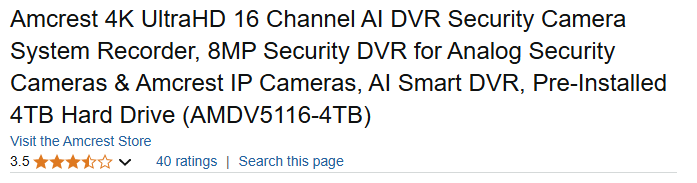
- Amcrest 16-channel DVR: This model supports a maximum of 10TB (only one SATA slot) and offers a 4TB preinstalled option.
4. AI & Smart Features
- Camius: Advanced AI detection, including human, vehicle, face detection, intrusion alerts, and line crossing.
- Amcrest: Basic AI detection with human & vehicle detection and face recognition, but fewer advanced filtering options.
5. Video Output & Monitoring
- Camius: Offers 4K HDMI, VGA 1080p, and a dedicated Spot-Out (1080p) for monitoring.
- Amcrest: Provides HDMI & VGA outputs, but lacks a Spot-Out feature for live multi-screen monitoring.
6. NDAA Compliance & Security
- Camius DVR: NDAA-compliant, making it suitable for government and enterprise installations.
- Amcrest DVR: Not NDAA-compliant, which could be a dealbreaker for some businesses and organizations.
| Feature | Camius TRIVAULT4K2168R | Amcrest AMDV5116-I3 |
| Channels | 16 (Analog & IP) | 16 (Analog & Amcrest IP) |
| Max Analog Camera Resolution | 4K (3840 × 2160) @ 10 FPS | 4K (3840 × 2160) @ 7 FPS |
| IP Camera Support | ONVIF-compatible (3rd-party IP cameras supported) | Mostly Amcrest IP cameras |
| AI Features | AI human, vehicle, face detection, intrusion, line crossing, sound detection, object detection | AI human & vehicle detection, face detection |
| Audio Support | 16 BNC audio inputs | Limited RCA audio input |
| Storage Capacity | Up to 42TB (14TB per SATA x2 + eSATA) | Max 10TB (1 SATA HDD) |
| Preinstalled HDD Options | 3TB, 4TB, 8TB, 10TB, 16TB, 20TB | 4TB max (with HDD the model is AMDV5116-4TB) |
| NDAA Compliance | ✅ Yes | ❌ No |
| Analog Recording Frame Rate | 4K 3840×2160 @ 10 FPS | 4K 3840×2160 @ 7FPS |
| Bandwidth | 192 Mbps | 128 Mbps |
| Video Output | 4K HDMI, VGA, & Dedicated Spot-Out | 4K HDMI & VGA (No Spot-Out) |
| Remote Access | Web, mobile app, Centralized Video Management Software (VMS) | Web, mobile app, CMS |
| Connectivity | Supports multiple protocols for external devices | More restrictive to Amcrest ecosystem |
So What is the Best DVR for CCTV camera System?
If you need higher recording frame rates, greater storage capacity, better bandwidth, and NDAA compliance, the Camius 16-channel DVR is the superior choice. It also offers Spot-Out functionality, more AI features, and better third-party camera compatibility. If you are already using Amcrest cameras and only need basic features, and not looking for the best value, then the Amcrest DVR might work for your needs.
Final Verdict:
| Choose Camius TRIVAULT4K2168R if: | Choose Amcrest AMDV5116-I3 if: |
| ✅ You need higher recording frame rates (4K @ 10 FPS vs. 7 FPS). | ✅ You already own Amcrest cameras and want seamless compatibility. |
| ✅ You need storage up to 42TB with eSATA expansion. | ✅ You’re okay with only 10TB max storage. |
| ✅ You require higher bandwidth (192 Mbps vs. 128 Mbps). | ✅ You don’t need NDAA compliance. |
| ✅ You want ONVIF support for third-party IP cameras. | ✅ You don’t need large preinstalled HDDs. |
| ✅ You need Spot-Out for live monitoring. | |
| ✅ You need storage up to 28TB with eSATA expansion. | |
| ✅ You need NDAA compliance for government or enterprise use. |
For more security system comparisons, and reviews on the best DVR for CCTV camera systems, stay tuned to SecuritySystemFinder!